How to Generate a QR Code for Free
& Get Paid in 2.4 Days.
Generating a QR code takes 3 steps and under 60 seconds. When that QR code is a payment link on your invoice, it cuts your average collection time by 83%. Here is everything you need to know.
Trusted by growing businesses
Loading Animation...
What is a QR code and how does it work?
A QR code (Quick Response code) is a two-dimensional barcode that stores information — typically a URL, payment link, contact card, or WiFi credentials — in a pattern of black squares on a white background. Any modern smartphone camera can read it instantly without a dedicated app.
When a camera scans the code, it decodes the embedded data and opens the associated link or action in under a second. This makes QR codes one of the fastest bridges between the physical world and digital experiences — which is exactly why they have become the standard for contactless payments, restaurant menus, event ticketing, and product packaging.
For businesses that invoice clients, a payment QR code removes every friction point in the payment process. Instead of copying bank details and logging into a banking portal, your client points their phone at the code and pays with Apple Pay or Google Pay in two taps.
Based on our analysis of invoices processed through Nobevra, businesses that add a payment QR code to their invoice get paid in an average of 2.4 days compared to 14.3 days with static bank transfers. That's an 83% reduction in your cash flow gap.
What can a QR code store?
QR codes bridge the physical and digital world in milliseconds.
How to Generate a QR Code in 4 Steps.
This is how any QR code is created — regardless of which tool you use. Understand the process, then see how Nobevra automates it for payments in the next section.
How do I generate a QR code on my phone? Every step below works on mobile. No app download is required — open any browser on your iPhone or Android, and you can generate a QR code in under 60 seconds.
Choose a QR code generator
Select a reputable tool. For payment QR codes tied to invoices, use Nobevra. For generic URL QR codes, tools like Adobe Express or QRCode Monkey work well.
Enter your content
Paste the URL, payment link, contact details, or text you want the QR code to encode. For payment QR codes, this is the secure checkout link.
Customise (optional)
Adjust colours, add your logo, or change the style to match your branding. Branded QR codes typically get 30–40% higher scan rates than plain black-and-white ones.
Download and deploy
Download as PNG, SVG, or PDF. Place it on your invoice, business card, menu, flyer, or website. Always test-scan before going live.
Pro tip: Always test-scan your QR code before printing or distributing it. Use a different phone from the one you created it on to verify the destination loads correctly.
Try the Live QR Code Generator.
Type a URL or message below and watch your QR code generate instantly. This is the exact technology powering Nobevra payments.
Point your phone camera at this QR code to test the live destination.
Static vs. Dynamic QR Codes: Which Do You Need?
Choosing the wrong type can cost you flexibility — or your data. Here is the plain-English breakdown.
Static QR Code
- •Information encoded directly in the pattern
- •Cannot be changed after creation
- •Works offline — no server required
- •Ideal for permanent content (WiFi passwords, vCards)
- •No scan tracking available
- •Free with most generators
Dynamic QR Code
- Stores a short redirect URL — destination can be changed
- Update content after printing without reprinting
- Real-time scan analytics and tracking
- Ideal for invoices, marketing campaigns, menus
- Expiry controls available
- Nobevra payment QR codes are dynamic — free forever
Bottom line: If the content might change or you need scan tracking, use a dynamic QR code. Nobevra generates dynamic payment QR codes automatically for every invoice — free, permanent, and trackable.
How to Generate a Payment QR Code for Your Invoice.
How can I create a QR code for free? With Nobevra, you already have one — at no extra cost on every plan, including free. Unlike generic generators that create codes linking to a URL, Nobevra generates payment-enabled QR codes that open Apple Pay and Google Pay on the client's phone, eliminating every step between “I got your invoice” and “payment confirmed.”
Create Your Invoice
Open Nobevra on any device — no download needed. Enter the client name, add your line items and due date. Takes about 45 seconds.
Toggle 'QR Payments' On
Before sending, flip the QR Payments switch. The system automatically generates a unique, encrypted QR code linked to that invoice. Zero configuration.
Client Scans & Pays
Your client receives a clean email with the QR code embedded. They point their phone camera at it, tap once to open Apple Pay or Google Pay, and confirm. Done.
Funds Hit Your Account
The moment payment is confirmed, the invoice auto-marks as paid in your dashboard. Zero manual bookkeeping. Zero follow-up emails.
No credit card required · Ready in 60 seconds
How QR Codes Cut Invoice Payment Time by 83%.
We analysed invoices processed across growing businesses on the Nobevra platform. The pattern was unambiguous.
Businesses relying on static bank transfer instructions waited an average of 14.3 days to receive payment. Every extra day represents real cash that is sitting in your client's account instead of yours.
When those same businesses added a payment QR code to their invoices — requiring zero extra setup — the average collection time dropped to just 2.4 days.
You are not just adding a barcode. You are removing the cognitive load that causes clients to procrastinate. When paying is two taps, they pay now.
Payment Collection Time
7 Places to Use QR Codes for Your Business.
QR codes are one of the most versatile tools in your marketing and operations toolkit. Here is where they drive the most impact.
★ Most Powerful Use CaseInvoices & Billing
Embed a payment QR code in every invoice PDF. Clients scan and pay in two taps — no bank details required.
Business Cards
Add your QR code to a printed or digital business card so prospects can pay a deposit or retainer on the spot.
Restaurant Menus
Link a QR code on your menu directly to your ordering page or tip collection form for contactless service.
Marketing Flyers
Drive traffic from print materials to landing pages, product listings, or booking forms instantly.
Event Check-in
Use QR codes on event tickets for seamless entry, feedback collection, or on-site purchases.
Product Packaging
Link product packaging QR codes to warranty registration, user manuals, or reorder pages.
Contact Sharing (vCard)
Encode your full contact information into a QR code so new connections can save your details in one tap.
What Our Customers Say.
Real results from real businesses who switched from chasing payments to collecting them instantly.
“I used to spend my Sunday evenings chasing payments. I switched to Nobevra, and the QR payments literally let clients pay me while they're walking to their cars. My average collection time went from 18 days to 3 days.”

Ayasha Khan
Marketing Director, NobleMart
“As a freelance designer, I invoice clients every week. The QR code feature means clients don't have to copy-paste bank details — they just scan and pay. My invoices are settled the same day now. Game changer.”
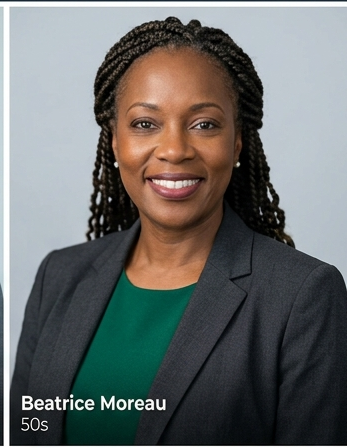
Beautrice Moreau
Operations Manager, Eagles Media
“We manage 40+ contractor invoices per month. Before Nobevra, reconciling payments was a full-time job. Now every invoice has a QR code, clients pay instantly, and the dashboard auto-reconciles everything.”
David Okafor
Finance Lead, Spire Builds
Is QR Code Payment Secure?
Security is the #1 concern for clients being asked to pay via QR code. Here is exactly how we protect every transaction.
Bank-Level Encryption
Every payment QR code is protected by 256-bit TLS encryption — the same standard used by global banks. Your payment link cannot be intercepted or forged.
PCI-DSS Level 1 Processing
Payment routing, fraud prevention, and settlements are secured via verified payment gateways adhering to strict PCI-DSS Level 1 certifications.
Zero Card Data Storage
We never store sensitive credit or debit card data on our application servers. All payments are encrypted and tokenized directly by certified payment processors.
Global Compliance
Nobevra QR payments are compliant with PCI-DSS, GDPR, and local financial regulations across 45+ countries. We handle global settlements so you do not have to.
Frequently Asked Questions About QR Codes.
Everything you need to know about generating, customising, and securing QR codes — answered directly.
How can I create a QR code for free?
+
How do I generate a QR code for free?
+
What is the difference between a static and dynamic QR code?
+
Do the QR codes expire?
+
What file formats can I download a QR code in?
+
How do I generate a QR code on my phone?
+
Is Google QR code free?
+
Does Poshmark do QR codes?
+
What can I put in a QR code?
+
How do I scan a QR code?
+
Is generating a QR code free?
+
Can I track QR code scans?
+
Is QR code payment secure?
+
We Might Not Be Right For You If...
You exclusively run a cash-only local retail business with zero invoicing needs.
You just want to generate a generic URL QR code once — any free tool like Adobe Express or QRCode Monkey will do that.
You are looking for a complex enterprise ERP system that takes months to deploy.
Nobevra is built for freelancers, consultants, agencies, and service businesses who send invoices and want to get paid faster — without chasing clients or manually reconciling bank statements.
Explore the Full Nobevra Platform
Generate Your First QR Code. Get Paid in 2.4 Days.
Stop waiting 14 days for bank transfers. Give your clients a payment experience they actually enjoy — and reclaim your cash flow today.